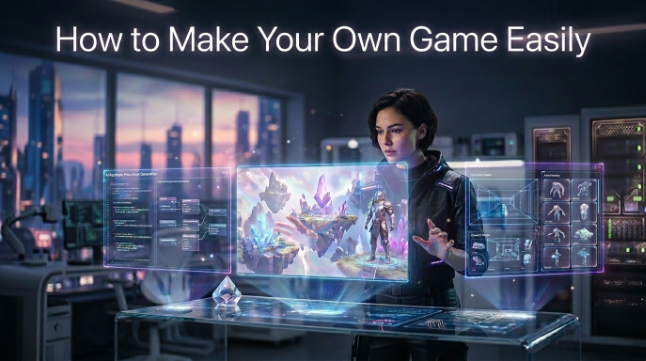

Have you played a game and thought, “man I want to make something like this”? The concept is exciting, but the coding, graphics and complex software can make the getting started seem daunting.The good news: you don’t have to be a developer to make a game of your own nowadays, thanks to user-friendly tools and platforms like Astrocade, a gaming platform that democratizes game creation.
Here is a simple step-by-step guide that will help you go through the process. You’ll find out how to choose the right tools, come up with a game idea, build your first project, test it, and (if you’re feeling brave) release your game to other players.Along the way, you’ll also see how a present day game creation process might incorporate platforms including Astrocade.
Start Your Game
All great games begin from a small idea. When you’re not sure what kind of game you want to make, but you want to have an opinion on the graphics and programming, that’s the time to think about what you want the players to experience. It could be a puzzle game, platformer, racing game, adventure or possibly just a tiny little arcade challenge.
Keep your first project small. A minimalist game with a single protagonist, a small number of levels, and one main objective is much easier to complete than a sprawling powerhouse with hundreds upon hundreds of features. Starting with tidy projects also makes for a gentler introduction to the tools and techniques.
See also: Why First Aid Awareness Is Becoming a Life Skill for All Ages
Choose Game Tools
The right tools can make developing games much easier. Newcomers can use game builders, no-code platforms, or beginner-friendly game engines with prebuilt features for developing gameplay. Advanced developers might want different tools that let them get more hands-on with code and game design.
When reviewing the software, account for the level of difficulty based on your knowledge. If you’re new to developing, choose simple controls, templates, tutorials and visual editors. As you get more experienced you can move up to more advanced game development tools and begin programming if you want even more control.
Build Game Ideas
Once your tools are installed and configured, you can begin creating your game idea. Begin with the core mechanics of your game like how the player moves, goals, obstacles, scoring, levels, etc. You don’t need perfect graphics yet, because gameplay comes first.
Let’s say you are designing a really basic platform game.You might begin with a character that moves and jumps, then add platforms and a goal. When the simple version runs, you could add enemies, sound effects, or backgrounds and other things.
Test Your Game
Testing really is an important part of game development. Your first try is probably not going to be a winner, and that’s okay. Play the game yourself to test for control, difficulty and level problems or other unexpected bugs.
Bonus: it can help to have other people play your game-test your game. Watch: how they play — without telling them what to do right away. If they become confused or struggle with something you always assumed was crystal clear, that’s good feedback. Revise, test, and repeat.
Share Your Game
Once you have tried out your project and made any necessary revisions, now you can distribute it! Depending on the application you are using, you might be able to publish your game on the Web or package it so friends can run it.Releasing your first players can be an exciting moment, as that’s when you get to listen to other people playing what you built. Don’t panic if your first game is terrible. You learn something new from each game you create, about design, development, and player feedback. Once you’ve made a little game, you’ll have the confidence to make a bigger, more complicated game.
Conclusion
Learning how to make your game is easier if you break the process into small chunks. Start with a simple idea, choose user-friendly tools for beginners, create the core gameplay mechanics, and playtest your game frequently. You don’t need to know everything before you start, even if you wanna make a game like Chess Online the OG.
It’s tough to start. Your homebrew might be buggy and use placeholder art, but finishing your first game teaches you a lot. Keep going, learn from each project, and add more complexity as your skills grow.
FAQs
Can beginners make their own game?
Yes Novice developers can start with basic game makers, no code tools, or simple engines for beginners. As your projects grow, you can also learn more advanced development.
Do I need coding skills to create a game?
This is not always true. Some modern game development engines were said to include visual programming/no-code. That said, if you just know some programming basics, you’ll be able to do a lot more.
What is the easiest type of game to make?
Simple puzzle, arcade, platform, and clicker games are great options for beginners in game development. They usually have fewer mechanics and you can learn some basics of game development from them.
How long does it take to make a game?
Size and complexity of the game is a determining factor. A small game could be completed in a few days or weeks, a large game could take several months or even years to develop.
How can I improve my first game?
Test early and often, and ask for other people’s honest opinions. Clarify controls, remove superfluous features, beautify tricky parts and above all make the core gameplay fun.